 Genius Asian
 Unbox GoPro Hero4 Black & Connect to Smartphone in 5 Minutes
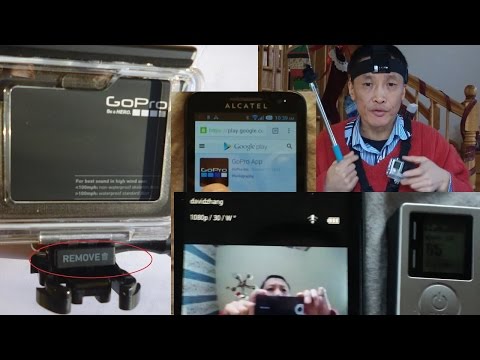
Unbox GoPro Hero4 Black and Connect to Smartphone in 5 Minutes
Key Takeaways
- GoPro’s included unpacking instructions are not great, making the first few minutes frustrating
- This guide provides the minimum you need to know to get up and running quickly
- Pairing the Hero4 with the GoPro smartphone app requires a specific 10-step sequence
- The most useful accessories are also highlighted to save you time researching
Unboxing the GoPro Hero4 Black
The GoPro Hero4 Black is a powerful action camera capable of shooting stunning 4K video, but getting it out of the box and operational is more frustrating than it should be. GoPro’s included instructions are minimal, and the packaging itself requires some effort to navigate. This video aims to save you the trial-and-error by walking through the process efficiently.
Inside the box you will find the camera body, a waterproof housing, a curved and flat adhesive mount, a quick-release buckle, a USB cable, and a rechargeable battery. The first step is inserting the battery (it only fits one way) and a microSD card (sold separately — you need one before you can record anything).
Pairing With Your Smartphone
Connecting the Hero4 to the GoPro smartphone app allows you to use your phone as a live viewfinder, adjust settings remotely, and transfer photos and video wirelessly. The pairing process follows these steps:
- Open the GoPro App and select “Connect to Camera”
- Press “Add A New Camera”
- Select “Add Your HERO4”
- Press and hold the Settings button on the camera’s left side until Wi-Fi Mode appears
- Press the mode button to scroll to “GoPro App” and press Select
- Press “Continue” in the app
- Select your camera from the list
- Enter the pin number and select “Pair My Camera”
- Create a new camera name and password
- You should now see and control the camera from your phone
Recommended Accessories
After extensive use, the most useful accessories include a head strap mount for hands-free POV footage, a chest mount harness for activities like biking and skiing, extra batteries since the Hero4 drains power quickly at 4K, a portable charger for extended shoots, and a high-capacity microSD card rated for 4K video.
Quick Start Tips
Charge the battery fully before first use. Update the firmware through the app for the latest features and bug fixes. Start with 1080p at 60fps to learn the camera before moving to 4K. Use Protune mode for maximum image quality when you are ready to do post-processing.
The DIY Mindset
The core principle behind all DIY projects is the willingness to try solving a problem yourself before paying someone else to do it. This mindset saves money, builds practical skills, and provides the satisfaction of self-sufficiency. Not every project will be perfect on the first attempt, but each attempt teaches something valuable for the next one.
Start with low-risk projects where a mistake will not cause serious damage or safety hazards. Kitchen repairs, simple plumbing fixes, basic electrical work (with the breaker off), and cosmetic improvements are good starting points. As your skills and confidence grow, you can take on more complex projects that save increasingly significant amounts of money.
Invest in quality tools gradually. You do not need to buy everything at once. Purchase each tool as a specific project requires it, and within a few years you will have a well-equipped workshop that was built incrementally rather than all at once. Quality tools last decades when properly maintained, making them one of the best investments a homeowner can make. For more tech and DIY content, check out our guide on how to peel garlic easily without special tools or learn about windshield crack repair.