 Genius Asian
 Detect wires without X-ray vision or special tools
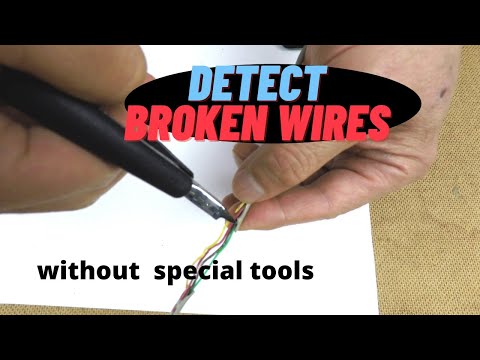
Detect wires without X-ray vision or special tools
Key Takeaways
- A lot of the time, you suspect an electric wire is broken, but would like to confirm where it actually broke
- Other times you simply want to locate wires placed behind a wall
- Without any expensive tools, I will show you how to use two cell phones to do this
- Your project and environment could be uniquely different, so this video only provides an idea to inspire you to solve your own problem
- Note that if you are dealing with high voltage circuits, you need to turn them off to be safe
Why This Matters
Technology topics like detect wires without x-ray vision or special tools showcase how innovation impacts our daily lives
- Whether you are an early adopter or just curious about new developments, understanding these technologies helps you make informed decisions The technology landscape evolves rapidly, and separating genuine innovation from marketing hype requires understanding the underlying principles
- This guide focuses on practical implications — what the technology actually does, how well it works, and whether it is worth your attention or investment Being an informed technology consumer prevents impulse purchases and helps you wait for the right time to adopt new products
How the Two-Phone Detection System Works
A lot of the time, you suspect an electric wire is broken but would like to confirm where it actually broke. Other times, you simply want to locate wires placed behind a wall. Without any expensive tools, you can use two cell phones to do this.
On the first cell phone, install a Wi-Fi detection app. There are many of them. The one used here is called Wi-Fi Analyzer. Run the app, then select the signal history. You will see all the available Wi-Fi signals — there are many of them in a typical house.
On the second cell phone, install an app to create a Wi-Fi hotspot. If you don’t have a data plan on that phone, an app called Netshare can broadcast Wi-Fi hotspot SSID host names. As soon as the second phone starts the Wi-Fi hotspot, the first phone will pick up the signal.
Note on signal scale: 20 negative dBm for Wi-Fi signal strength is in a logarithmic scale, so –20 dBm is stronger than –30 dBm.
Modifying the Hotspot Phone to Expose Its Wi-Fi Antenna
Put the hotspot phone into a snap bag made of aluminum — it is a pretty good shield from Wi-Fi signals. The Wi-Fi hotspot signal drops when you close the bag well. If you plug in a headphone with the wire exposed, you can detect Wi-Fi signals through it. However, the signal from the audio jack is weak. To obtain a stronger signal, you need to find the Wi-Fi antenna inside the phone.
Open the back cover of the second cell phone — this works best with an old phone you don’t care about. Take out the battery and remove a few screws. Pry between the front cover and rear frame all the way around the phone until the rear frame comes loose, then remove it.
There are two contacts for the Wi-Fi. Use a multimeter to test: one contact is connected to ground, and the second contact is your Wi-Fi antenna. Solder a wire to that antenna contact. Use a few rubber bands to hold the battery so that you don’t have to close the rear frame. If you do need to close the rear frame, you can route the wire through the headphone jack so the rear cover can close. Solder an alligator clip to the wire so it is easy to switch different wires during testing.
Testing a Known Broken Wire
Take a cable with yellow, black, and green wires. Cut only the yellow wire, then see if the phone system can find the broken spot.
Connect the yellow wire to the Wi-Fi antenna. Put the hotspot phone in the shield bag and seal it well. Use the first cell phone running Wi-Fi Analyzer to check the Wi-Fi signal strength emitted along the yellow wire. Move very slowly to get a stable average reading. As you move across the broken spot, the reading jumps from strong to weaker — that abrupt change is the key indicator.
Repeat the test connecting the unbroken black wire. Since the black wire is not broken, there is no abrupt change at that same location. This contrast confirms the method: there is a natural attenuation as you move along any wire — the signal will normally become weaker as you move further from the source. An abrupt change, however, is likely to indicate a cut.
Locating a Power Cable Behind a Drywall
To see whether this works for wires inside walls, remove the sleeve of the router antenna, then remove the insulation to expose the tiny antenna wire. Because the white ground wire may be wired at an unexpected place, connect the hot black wire to the antenna instead.
Feed the wire through a piece of drywall to simulate a real wall — the wire is placed horizontally behind it. Use an Amazon food delivery bag to shield the router. The router itself is powered by AC wires that cannot be shielded, causing some Wi-Fi signal leakage, but since the focus is on signal change rather than absolute level, those leaks can be ignored.
Place the cell phone Wi-Fi monitor along the radial direction, then move radially from closer to the source to further away. By observing the signal strength changes, you can estimate where the wire runs. Even though the detection granularity is fairly coarse, it is still useful — for example, knowing which quadrant to avoid before cutting drywall so that wires are not damaged.
App Recommendations and Plug-Type Limitations
For the Wi-Fi signal detection app, Wi-Fi Analyzer works well because it has a signal history option. Other apps can be used, but a history display makes interpretation easier. For the Wi-Fi hotspot app, Netshare is useful when there is no data plan on the second phone. Any file-sharing or Wi-Fi hotspot app will work as long as it broadcasts Wi-Fi hotspot SSID host names.
Plug type affects how well the technique works. If you have only one device connected to a TS plug, one wire connects to the tip and one to the sleeve, and you just need to be aware that the device’s load also acts as wire.
With a TRS plug connecting to stereo headphones, or a TRRS plug connecting to headphones and a mic, detection becomes harder. In stereo earbuds with a TRS, the tip connects to the left earphone, the ring connects to the right earphone, and the sleeve connects to ground. Very often both earphones have ground wires, and both ground wires are connected to a single terminal at the sleeve.
Two scenarios to keep in mind. First, if the wires can be separated: stereo earbuds usually have one cable to each earbud, each with two wires inside, one of which is a grounding wire. Test the non-grounding wires first. If those are not at fault, separate the cables. If you tuck one cable of two wires inside the shield bag, testing is the same as for just two wires. Second, if the wires cannot be separated at the base: you may be able to detect only two out of four wires. If only one of the two ground wires is broken, that broken ground wire is undetectable, because both ground wires are soldered together at the sleeve. For any suspected broken wire location, connect the wires one by one to the antenna to see which may be at fault. A continuity diagram of the plug contacts will help you develop a testing strategy — which part to shield or expose, the test sequence, and how to predict results.
Repairing Broken Earbud Wires
Depending on the location of the break, you will have different approaches. There are three common cases: broken at the earbud, at the middle of the cable, or near the plug. Regardless of location, always fasten the wire with a strong, secure mechanism — merely soldering the metal wire is not strong enough on its own.
If the break is near the earbud, fasten the wire on the bud. If that is not secure enough, take off the earbud cover. Often you can pry it off; if not, use pliers to tear it, or use a soldering iron to heat and remove the plastic cover. Then put the wires through the hole, tie a knot so the wire cannot be pulled back, solder the wire to the contacts on the small circuit board, and use a glue gun to seal the opening.
If the break is at the middle of the cable, make a knot with the two wires, solder them, and wrap with tape.
If the break is near the plug, cut some of the plug’s plastic to expose the wires for soldering, then fasten the wire to the plug. Alternatively, remove all of the plastic cover, solder the wires to the contacts, and seal with a glue gun afterward. If the headphones are expensive, it may also be worth purchasing a new plug.
Before soldering, strip the insulation off the wires. For thin cable, pulling the insulation off with a finger works fine. A useful soldering tip: use binder clips to hold small pieces — one clip to hold the earbud, one to hold the wire — so unsteady fingers are not a problem.
If you don’t have a multimeter to determine which channel is not working, use a single-channel audio test to decide whether the left or right channel is at fault. Play a right-channel-only signal to confirm the right earphone, then a left-channel-only signal to confirm the left.
Earbuds are cheap, but for the sake of the environment, attempt to fix them instead of sending them to the landfill.